Budget Control & Forecast
1.2.0.1 August 26 2019 WSS

Purpose and Use: [embeddoc url=”https://www.worldsoftwareinc.com/wp-content/uploads/2018/12/Budget-Control-and-Forecast-addendum-1.docx” download=”all” viewer=”microsoft”]
A: Build Budget/Forecast
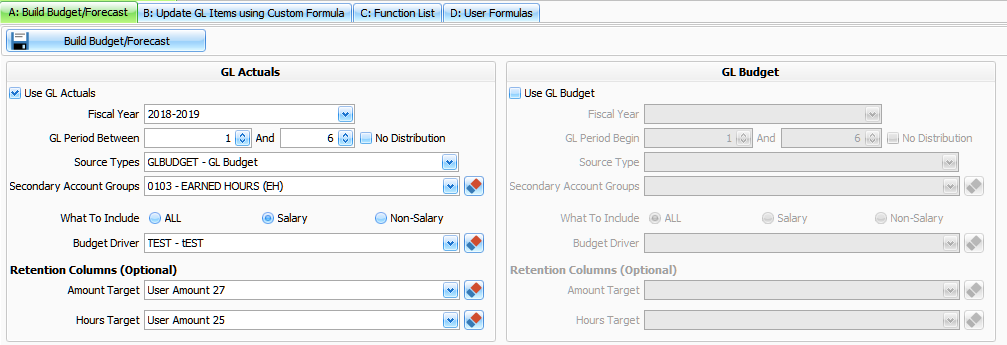
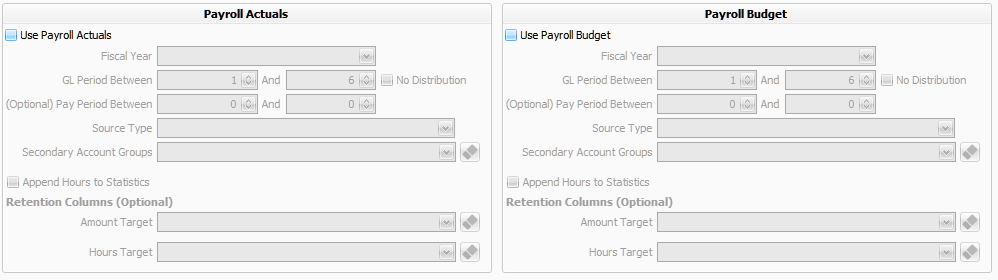
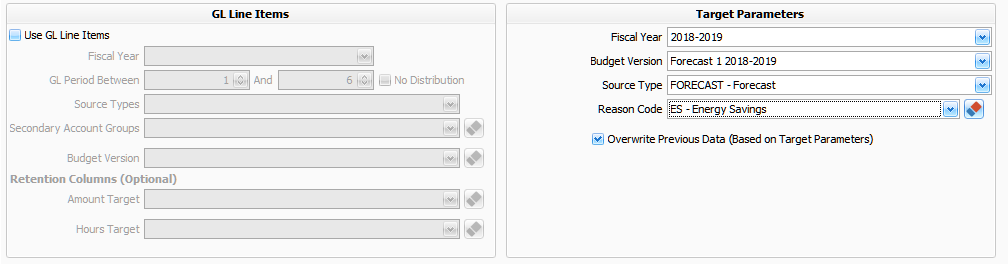
Used to build a Budget or Forecast base. The data can be retrieved from any of the panels represented by the data source. The panels can be used individually or in combination and repeated multiple times.
B: Update GL Items using Custom Formula
Formula Update

Formula Editor:
Add to User Formula – will save the Formula detail to the D: User Formula table to be available when needed to be used again.
Column to Update – field name when the result of the formula will be saved or updated.
Formula Text – SQL type instructions to process against the base table using the filter settings at bottom of screen.

Required Filters – Fiscal Year and Version to apply the changes to.
Database Filter – use list from tabel.

Preview Data – displays results of formula when Use Formula checked else shows entire table.

Perform Insert – will add new records
Perform Update – changes update field

Update Stats and Max Records – used to prevent locked program by processing too large a table.

Choice and Maintenance of Grid Views.
Distribution Update: Takes a column and distributes it to GL periods, placing rounded values in a specified period.

Same instructions as Formula Update.
Function List – used to cut and paste
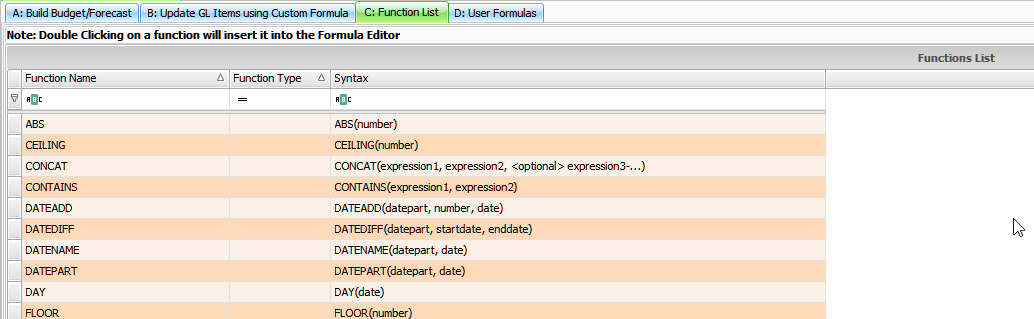
Function Description:

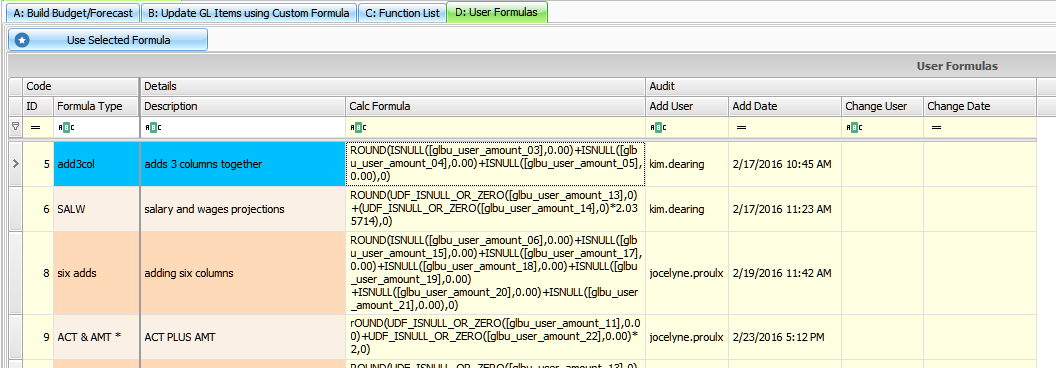
User Formulas – saved formulas. Click Use Selected Formula to insert into Formula Editor on B: Update GL Items using Custom Formula.