Cube Viewer
**wss 1/10/23

This module provide cube builder control using standard cube templates. The templates have been designed with the user community. They provide an efficient method of delivery within a very short timeframe. Cubes integrate various source data which is integrated with user managed reporting trees. This results in a delivery tool is available across the organization, in a timely and secure manner.
Multi Level Data (Cubes)
ESM.net has the ability to display cube data as a tree data grid. This allows users the ability to look at their data from various viewpoints.

Multi Level Data Bar Charts
ESM.net has the ability to create charts that change on every data row selected. Users have the ability to dynamically change the reporting groups and series.

First level drilldown
This sample displays Payroll data summarized into the General Ledger actuals. If there is a second source for the GL data, another drill option exists to expand that to its original source – Payroll detail actuals in this case. The next drill screen demonstrates this feature.
Second Level drilldown
Payroll detailed line items expanded from GL actuals drill.
Executive Support Manager(ESM) – Cube Viewer is a cube reporting system with drill down to transaction detail.
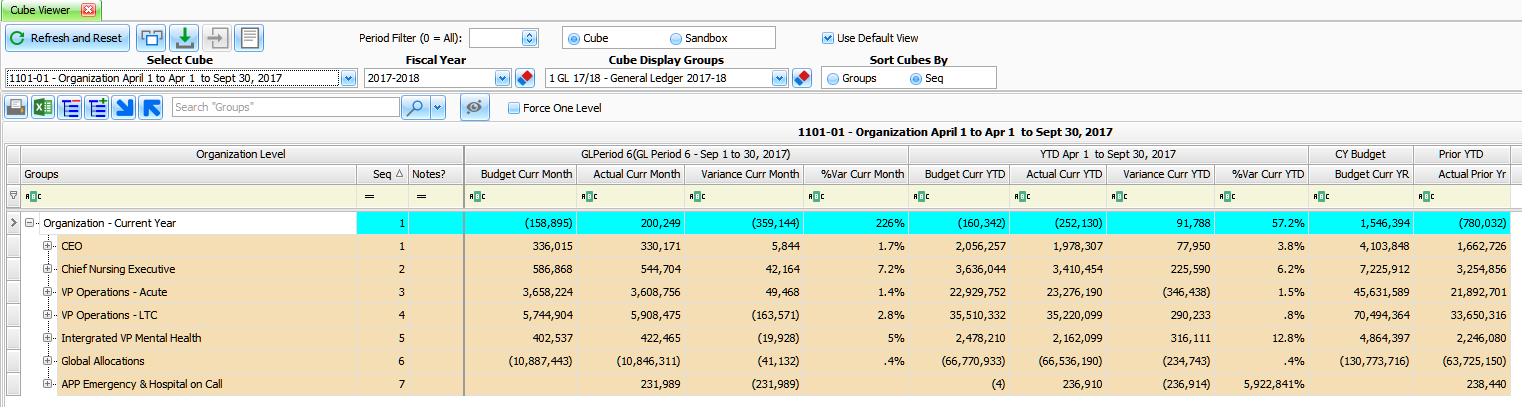
 used after selecting other options.
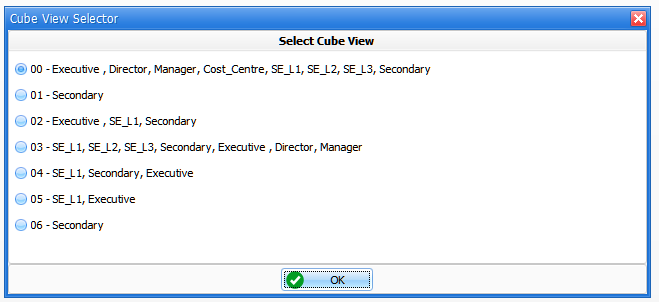
 Views – choice of Views – all Cubes have predefined views that allow the user to determine how they want to view the report organization structure. In the above example, the choices are as follows with the the traditional Management reporting group as the default. Selecting 06- Secondary would change the report format to show Secondary Account group first.
 Drilldown – will list in a separate page all transactions included in the cell chosen and the line selected. The detail will depend on the source chosen. Sub-system detail is also available for drilldown if made available. For example selecting the Actuals cell for Medical and Surgical Supplies line and clicking Drilldown

will display the actuals that make up the 28,707 total.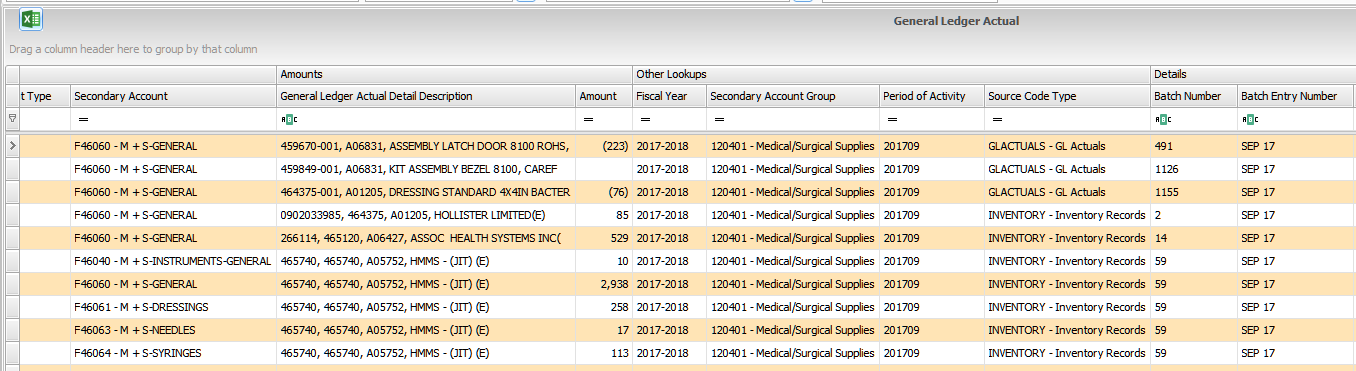
 Close Drilldown – will return to Cube display
 Manage Vouchers – allows for entering an adjustment to the database for the line selected. It is based on the treelist (cube) or grid (sandbox) you are on, it will check for vouchers that are correlated by chart fields you are on for that line. The entries are posted live. For actuals, they are removed on the next import. For Budget, they will be replaced when the budget is transferred to ESM. Please go to Voucher Management
 If selected, only the records for the period will be included in the cube displayed.
 In additional to the formal cube viewer, a Sandbox viewer allows users the ability to work with the same data in an open format. The sandbox offers dynamic grouping and filtering.
 Will always return to the default View set in the Cube master.

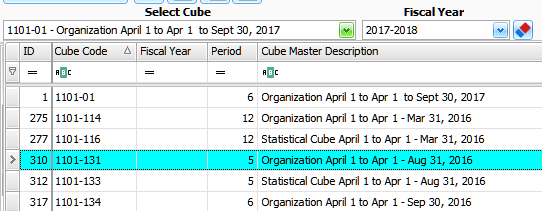
 Cube Display Groups are used to organize Cube reports with similar purpose. The Cube Display Groups lookup is optional. If a Group is selected, the Select Cube lookup will display cubes assigned to this group.
For example
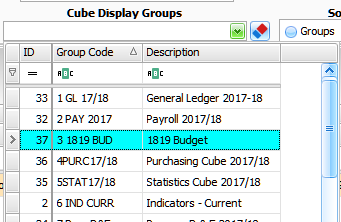

On setup, all Cube reports are given unique Code and Master Description names. The Cube Code are assigned by category. General Ledger cubes are 1101 series, Payroll in the 1215 series. The Fiscal Year lookup further refines the Cubes listed for Select Cube.
Example Cube report selection: