Salary Grid Types
Salary Hourly Grid Rates Table
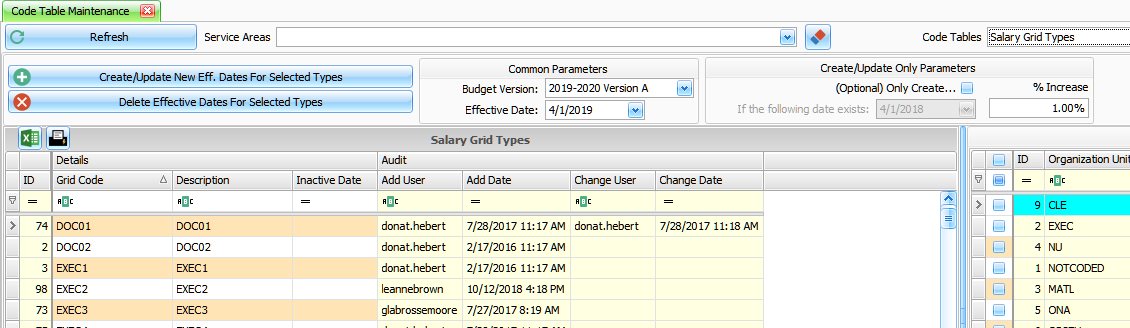
Grid Code – Text to define code
Description – Text to define description
Inactive Date – date entered
1. Global Changes to Salary Grid Table

Common Parameters
– Budget Version – the program will create/update the grids rate for this version.
– Effective Date – the program will use this date as the effective date for the salary grid changes when create/update.
Create/Update Only Parameters
– (Optional) Only Create Check Box – by checking this option you can select the date that the program will match in the existing grid table in determining which records to create/update.
– If the following date exists – date – enter date to use in selecting records
– % Increase – enter the percentage increase to apply to the most recent rate in the Grid table.
Process Create/Update New Eff Dates for Selected Types – will Create/Update Salary Grid rates for the Salary Grid Type Selected below and the Effective Date entered in Common Parameters. You can select more than one row by first clicking on the first Grid Code, then using the Shift Click on the last Grid Code to highlight the range of Grid Codes to use.
Process Delete Effective Dates for Selected Types – will delete Salary Grid rates for the Salary Grid Type Selected below and the Effective Date entered in Common Parameters. You can select more than one row by first clicking on the first Grid Code, then using the Shift Click on the last Grid Code to highlight the range of Grid Codes to use.
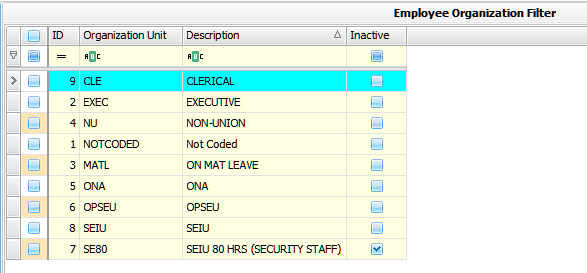
Employee Organization Filter – use the check box to select which Grid Codes to display in the Salary Grid Types grid on the left of this grid. The filter selects Grid Codes that belong to the organizations checked.
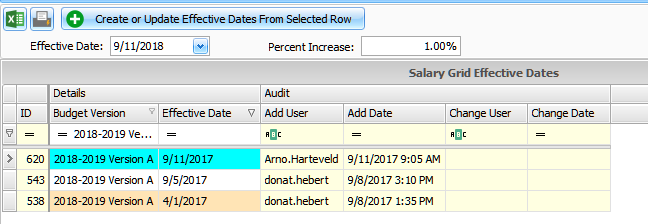
Create or Update Effective Dates from Selected Row – a single entry Create/Update on the specific base rate selected.
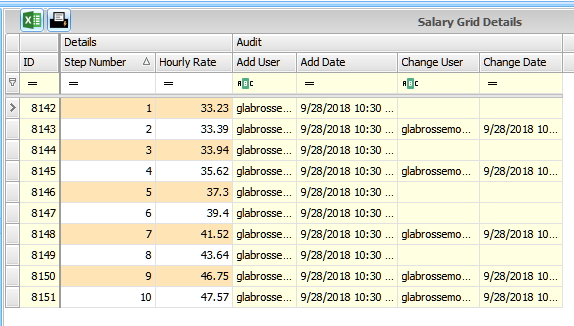
Salary Grid details – Displays the Hourly Rates for each step.